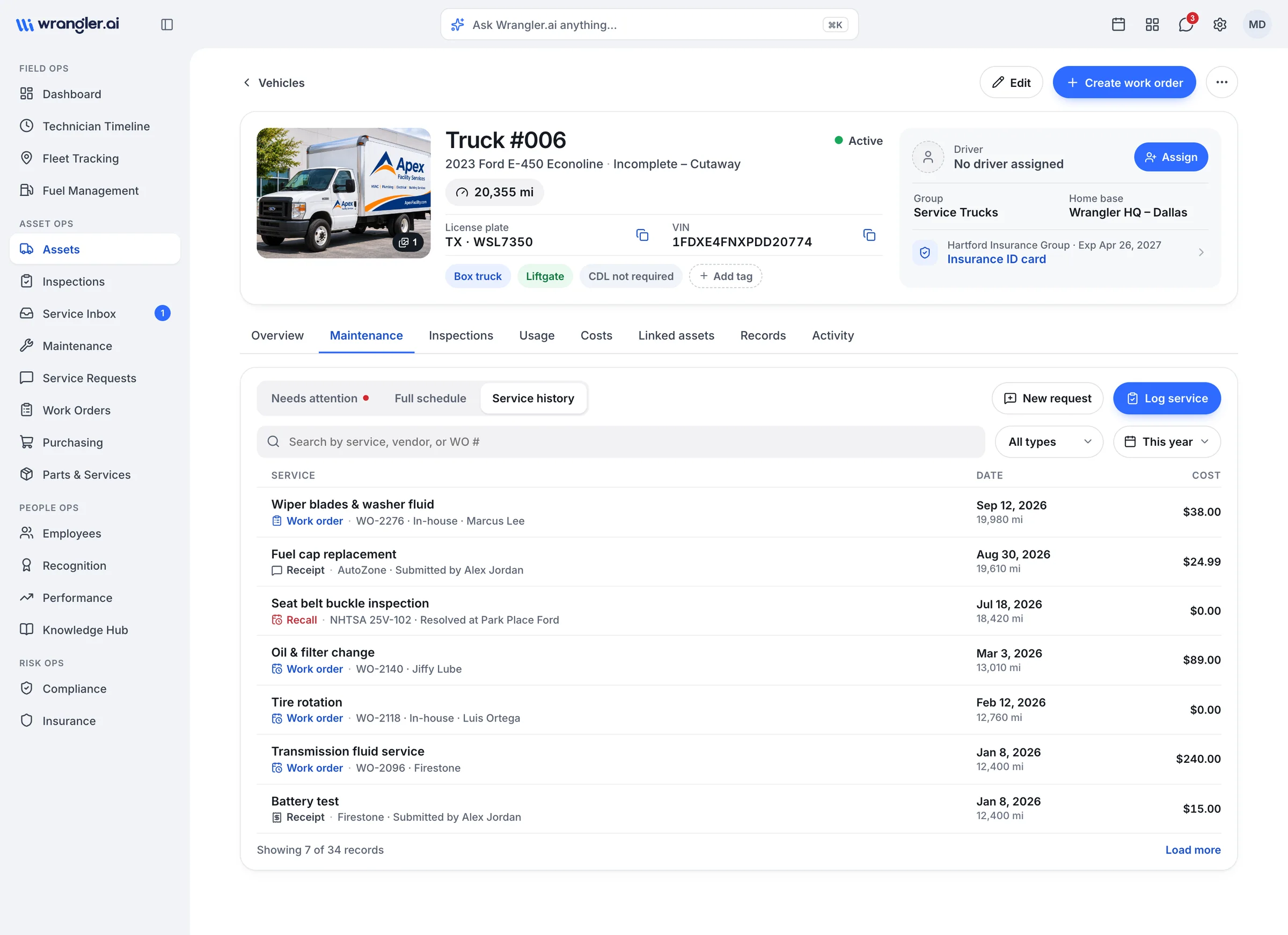
From wrench to record.
Log time, labor and parts on every job, capture vendor invoices from a photo, and build asset history automatically, in-house or at an outside shop.
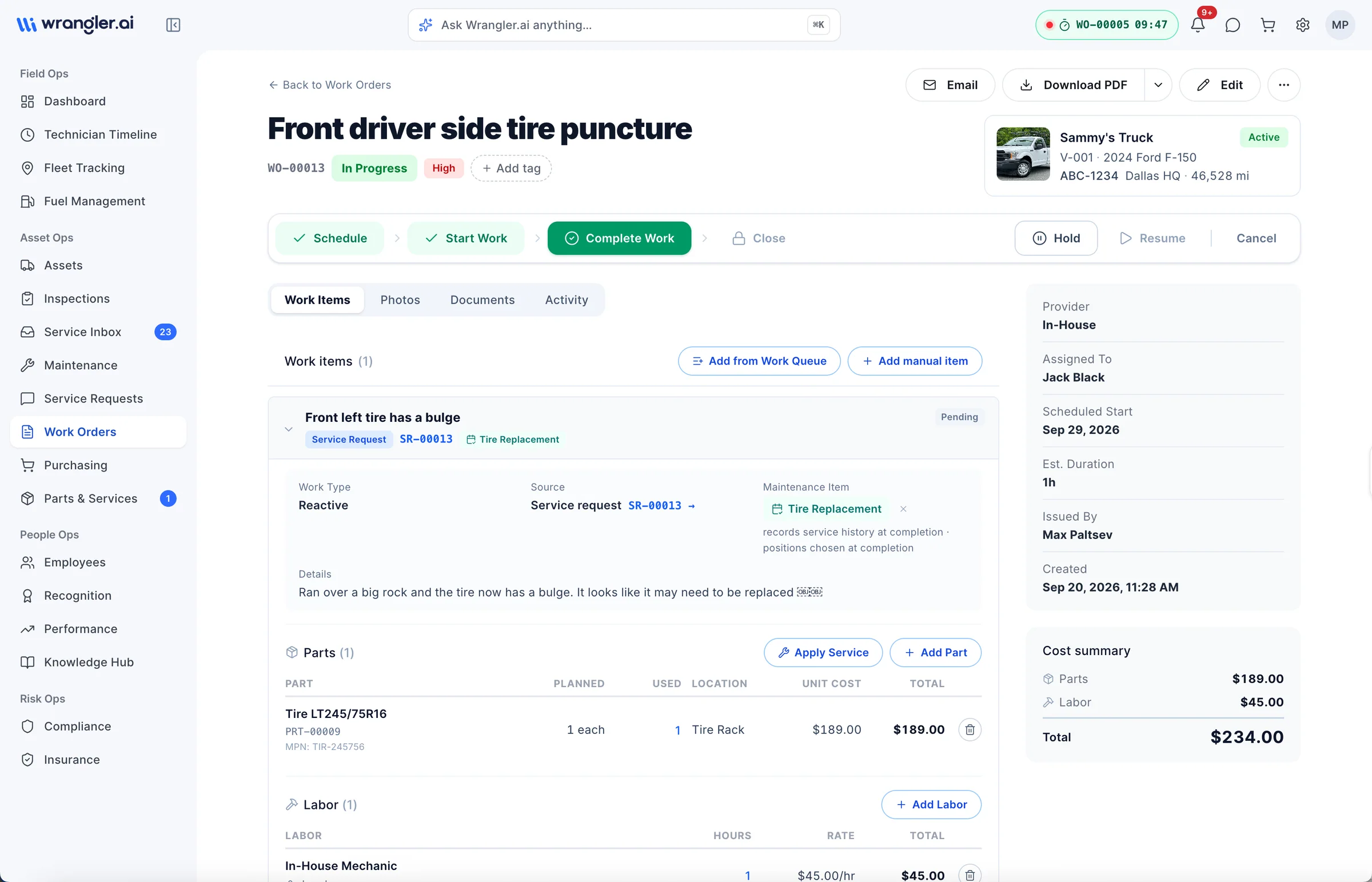
What's in the box
01
Time, labor and parts
On every ticket, with costs that roll up to the asset.02
In-house and outside shops
One system for your techs and your vendors.03
Invoices from a photo
Snap a receipt; line items are read and matched.04
Automatic matching
Charges land on the right asset without retyping.05
History that builds itself
Close the work order and the record is complete.01 · Quick vendor work order
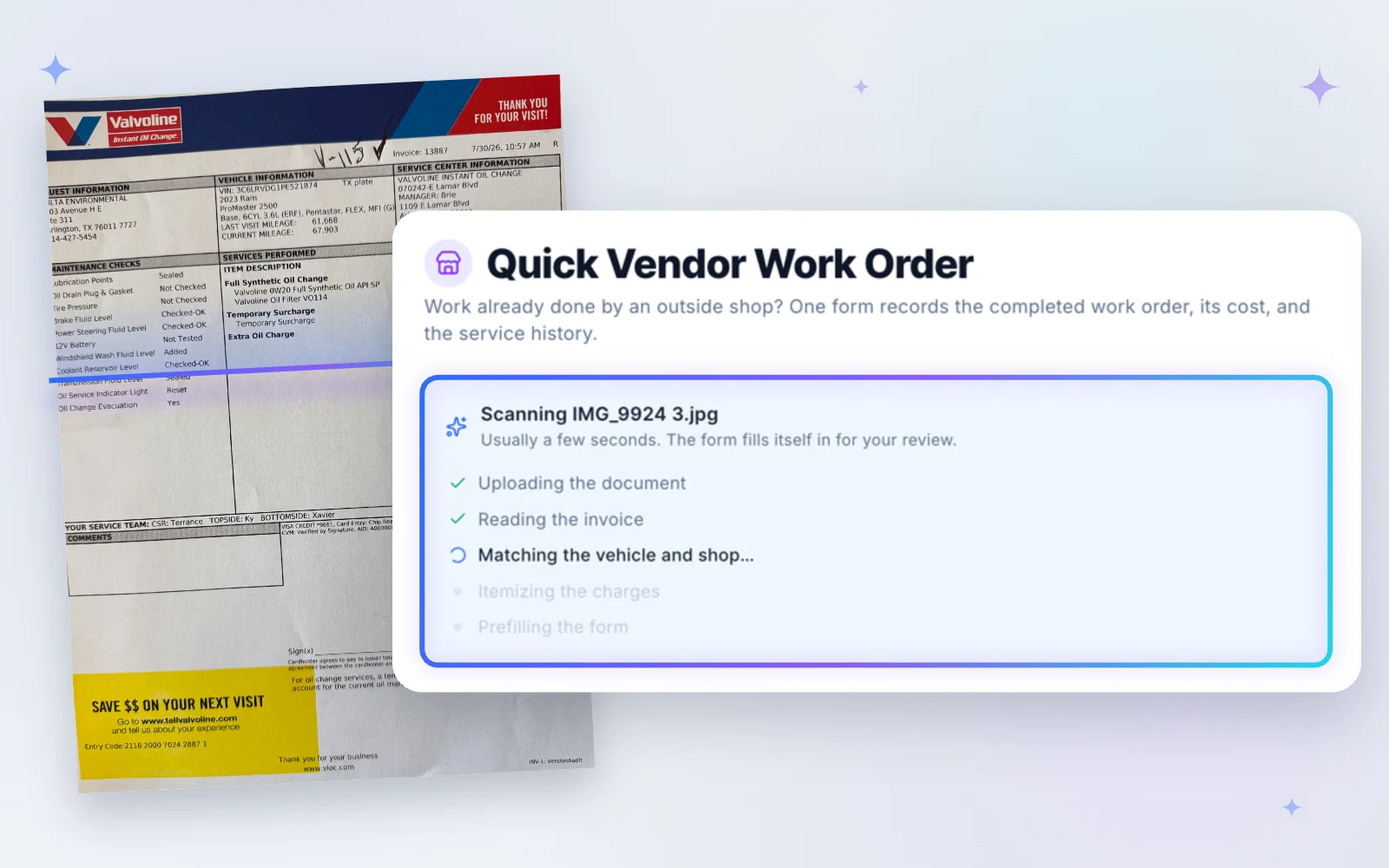
Snap the invoice. Done.
Work done at an outside shop? Take a photo of the invoice and Wrangler.ai reads it, matches the asset and vendor, and fills in the work order for you to review.+No manual data entry
+No lost paper invoices or receipts
+Maintenance schedules update automatically
+Every dollar lands on the right asset
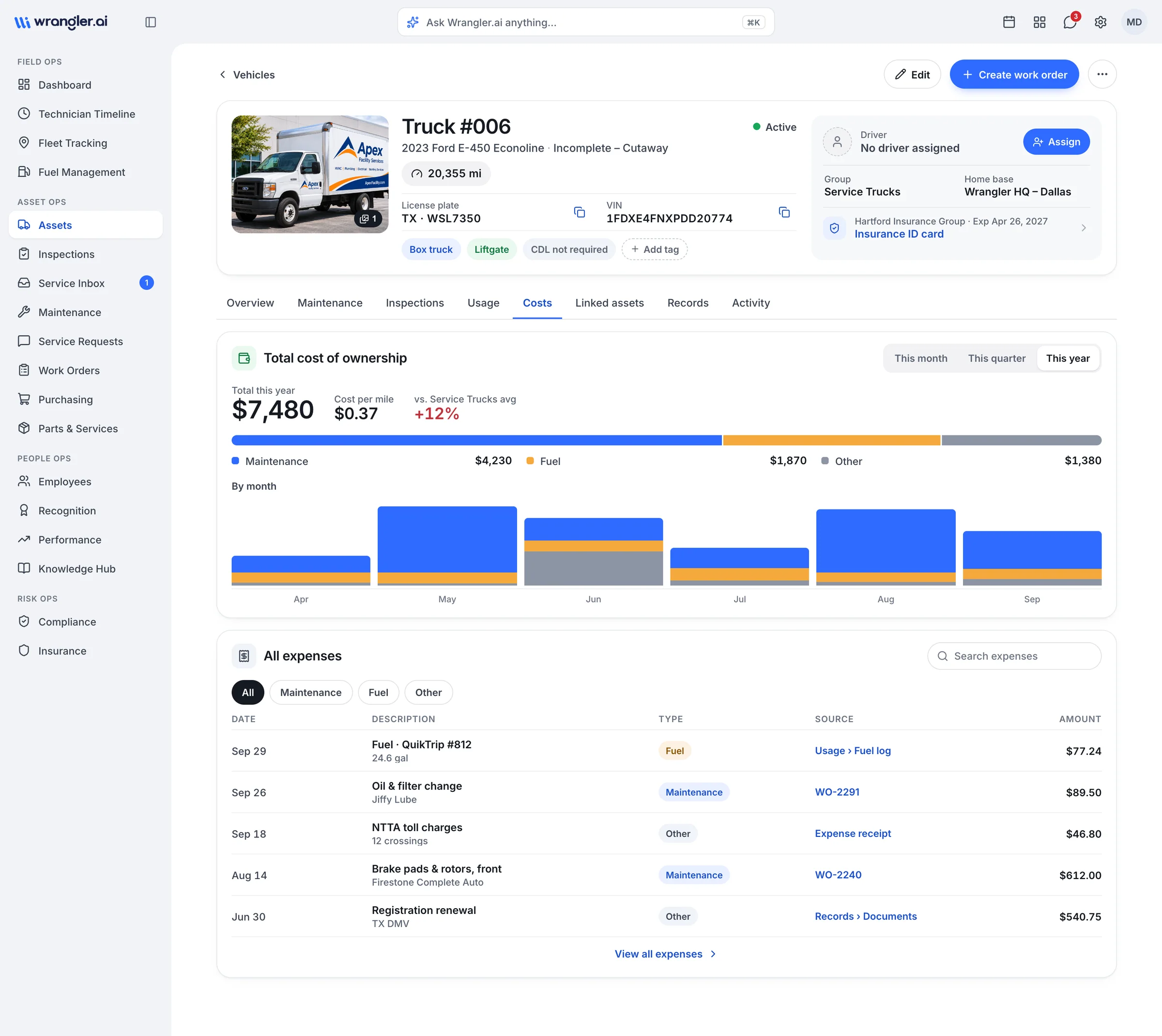
02 · Cost roll-up
Every dollar on the right asset.
Labor, parts and outside repairs show in the asset's cost view the moment a work order closes.+Cost per mile and per hour update automatically
+Warranty flagged before you pay
+Export for accounting
03 · Service history
History that writes itself.
Close the work order and the repair lands on the asset's record, with parts, labor, photos and the schedule reset for next time.+In-house work, vendor receipts and service requests in one timeline
+Maintenance schedules reset automatically
+Searchable by service, vendor or work order