From low stock to on the shelf.
Create and email purchase orders in seconds, trigger them from work orders when parts run short, and track partial receipts until the order is complete.
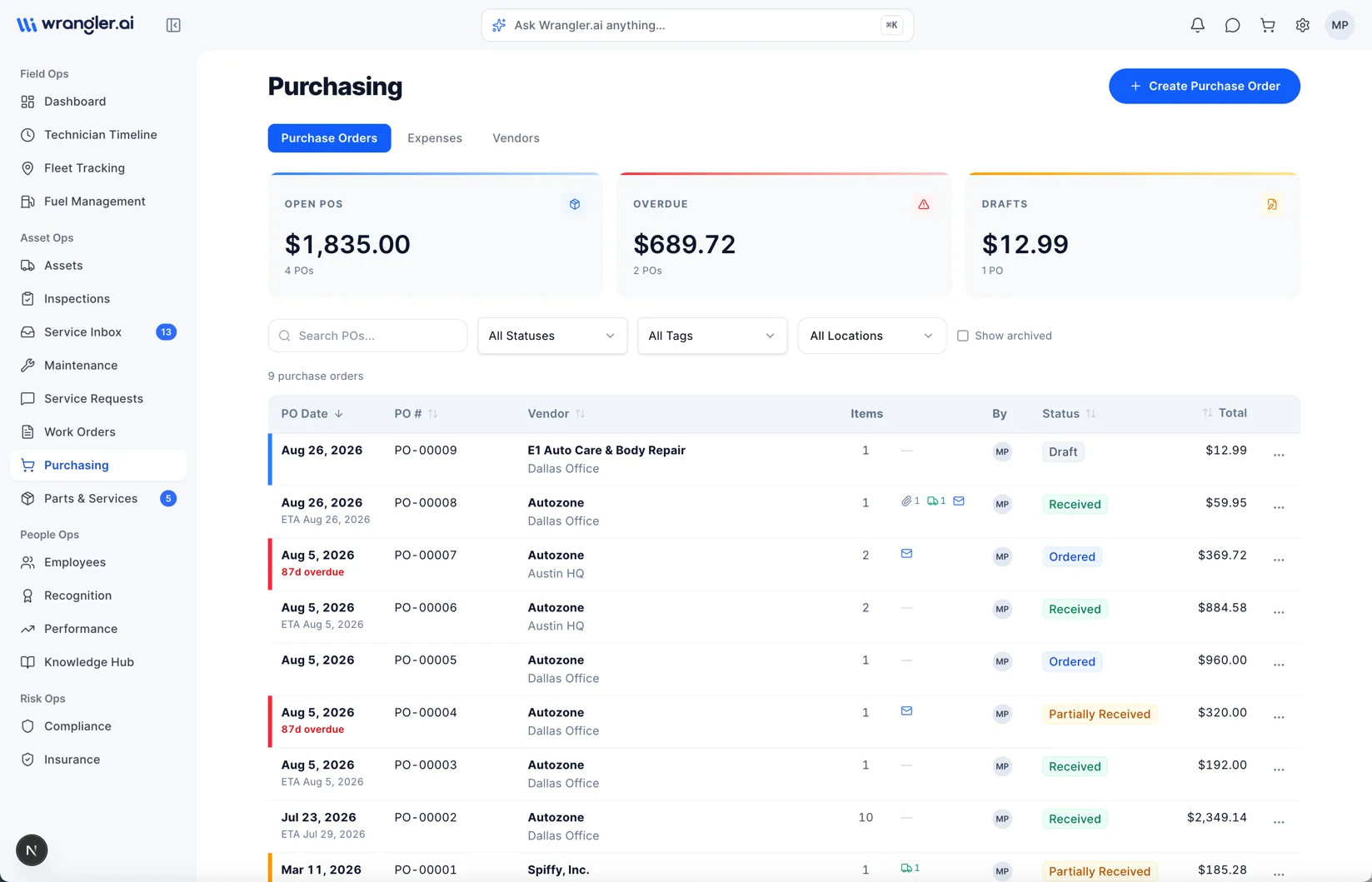
What's in the box
01
POs in seconds
Pick a vendor, add lines, send.02
Drafted for your approval
Low stock and work orders draft POs; you review and send.03
Linked to work orders
See which job each part was ordered for.04
One-click vendor email
PDF sent straight from Wrangler.ai.05
Partial receipts
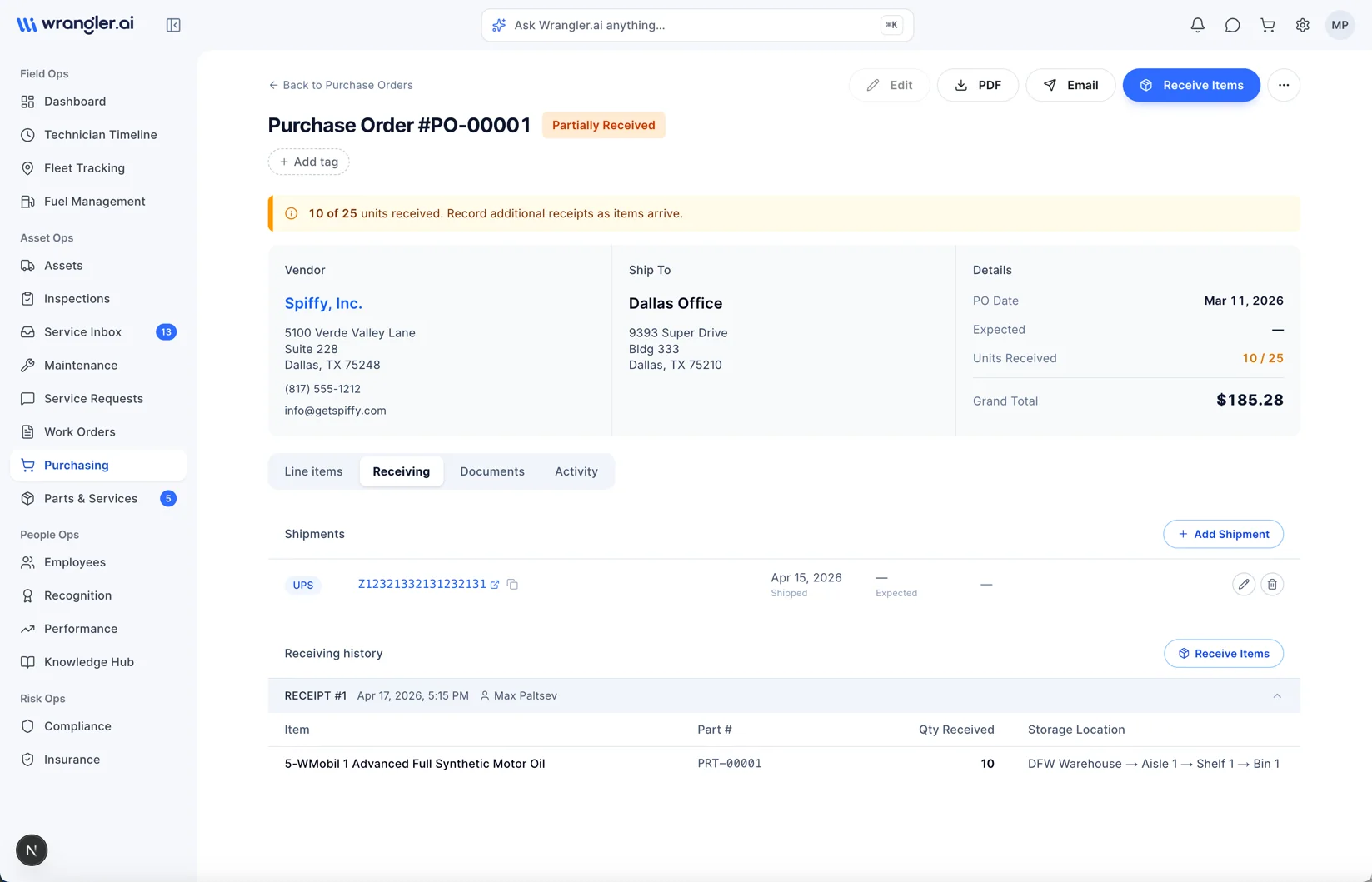
Receive what arrived; track the rest.06
Shipment tracking
Carrier tracking numbers saved on every PO.01 · Review & send
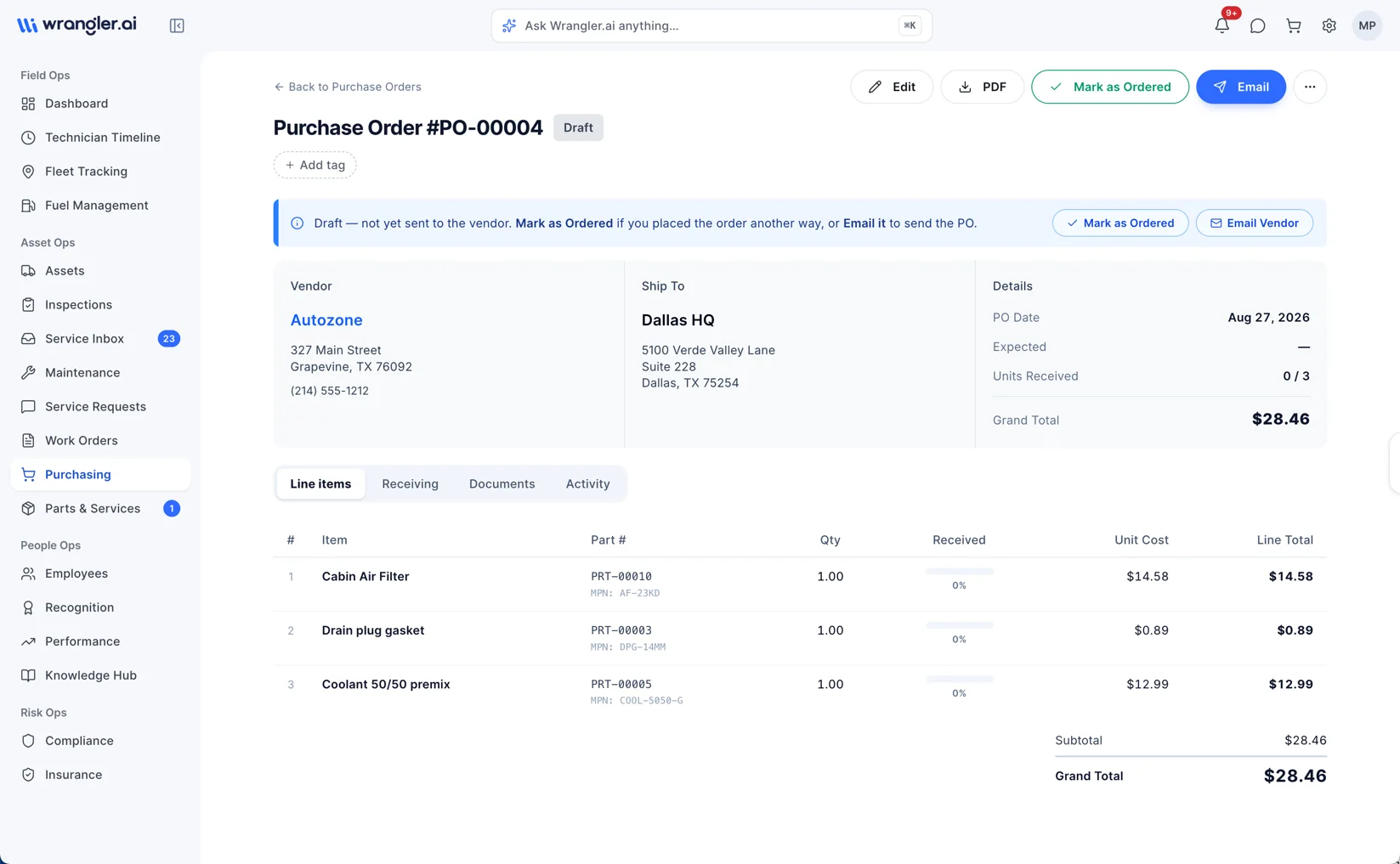
You decide when it ships.
Every PO starts as a draft. Check the vendor, lines and totals, then email it from Wrangler.ai or mark it ordered if you placed it another way.+Drafts stay drafts until you act
+Email the vendor a PDF in one click
+Notes, tags and documents on every PO
02 · Receiving
Know what actually showed up.
Record each shipment as it arrives and put it away in the right spot. Inventory updates the moment you receive.+Partial receipts tracked to the unit
+Shipment tracking numbers on the PO
+Received into warehouse, aisle, shelf and bin